<?xml version="1.0" encoding="UTF-8" ?>
<feed xml:lang="ja" xmlns="http://www.w3.org/2005/Atom" xmlns:dc="http://purl.org/dc/elements/1.1/" xmlns:thr="http://purl.org/syndication/thread/1.0">
  <title type="text">オヤジのＰＳＰ★ミ</title>
  <subtitle type="html">暇な時に地道に活動中。</subtitle>
  <link rel="self" type="application/atom+xml" href="http://oyajinopsp.blog.shinobi.jp/atom"/>
  <link rel="alternate" type="text/html" href="http://oyajinopsp.blog.shinobi.jp/"/>
  <updated>2007-07-01T04:21:31+09:00</updated>
  <author><name>SAT</name></author>
  <generator uri="//www.ninja.co.jp/blog/" version="0.9">忍者ブログ</generator>
  <atom10:link xmlns:atom10="http://www.w3.org/2005/Atom" rel="hub" href="http://pubsubhubbub.appspot.com/" />
  <entry>
    <id>oyajinopsp.blog.shinobi.jp://entry/25</id>
    <link rel="alternate" type="text/html" href="http://oyajinopsp.blog.shinobi.jp/%E5%85%AC%E5%BC%8Ffw/sony%E5%85%AC%E5%BC%8F%E3%82%AB%E3%82%B9%E3%82%BF%E3%83%A0%E3%83%86%E3%83%BC%E3%83%9E%E8%A8%AD%E5%AE%9A%EF%BC%9F" />
    <published>2007-10-01T22:10:04+09:00</published> 
    <updated>2007-10-01T22:10:04+09:00</updated> 
    <category term="公式FW" label="公式FW" />
    <title>SONY公式カスタムテーマ設定？</title>
    <content mode="escaped" type="text/html" xml:lang="utf-8"> 
      <![CDATA[SONYからXMBのテーマを自作できるツールがアップされたらしいです。<br />
<br />
これはファームウェアの更新ではなく、専用のツールをダウンロードするのですが・・・<br />
<br />
PDF読んでもよく分かりませんでしたので、興味のある人は<a href="http://www.jp.playstation.com/psp/dl/tool/psp_customtheme_tool_eula.html">こちら</a>からダウンロードしてみてください。<br />
<br />]]> 
    </content>
    <author>
            <name>SAT</name>
        </author>
  </entry>
  <entry>
    <id>oyajinopsp.blog.shinobi.jp://entry/24</id>
    <link rel="alternate" type="text/html" href="http://oyajinopsp.blog.shinobi.jp/%E3%83%8B%E3%83%A5%E3%83%BC%E3%82%B9/ps3%E3%82%92%E6%8C%81%E3%81%A3%E3%81%A6%E3%81%84%E3%81%AA%E3%81%8F%E3%81%A6%E3%82%82%E3%83%BB%E3%83%BB%E3%83%BB" />
    <published>2007-09-22T22:03:47+09:00</published> 
    <updated>2007-09-22T22:03:47+09:00</updated> 
    <category term="ニュース" label="ニュース" />
    <title>PS3を持っていなくても・・・</title>
    <content mode="escaped" type="text/html" xml:lang="utf-8"> 
      <![CDATA[「Playstation　Store」がやっとPS3の壁を越えてPCでも扱えるようになったらしいですね。（9/20～です）<br />
<br />
いままでPS3を持っていなくて、自分の持っているROMを吸い出したり等、面倒な作業がやっと解消されます。<br />
<br />
PCからダウンロードするには、「専用のダウンローダー」をまずダウンロードして・・・等手順を踏んでいく必要があるので、詳細は<a href="http://www.jp.playstation.com/store/">SONYさんの公式ページ</a>を参照してTryしてみてください。<br />
<br />
<br />]]> 
    </content>
    <author>
            <name>SAT</name>
        </author>
  </entry>
  <entry>
    <id>oyajinopsp.blog.shinobi.jp://entry/23</id>
    <link rel="alternate" type="text/html" href="http://oyajinopsp.blog.shinobi.jp/%E5%85%AC%E5%BC%8Ffw/%E5%85%AC%E5%BC%8Ffw3.70%E5%85%AC%E9%96%8B" />
    <published>2007-09-13T03:06:03+09:00</published> 
    <updated>2007-09-13T03:06:03+09:00</updated> 
    <category term="公式FW" label="公式FW" />
    <title>公式FW3.70公開</title>
    <content mode="escaped" type="text/html" xml:lang="utf-8"> 
      <![CDATA[久々の更新はSONYの公式FW3.70の公開です。<br />
（アップデートは9/11～）<br />
<br />
<a target="_blank" href="//oyajinopsp.blog.shinobi.jp/File/psp3.70_1.jpg"><img alt="psp3.70_1.jpg" align="left" border="0" src="//oyajinopsp.blog.shinobi.jp/Img/1189620325/" /></a><br />
<br />
<br />
<br />
<br />
<br />
<br />
今回の主な機能は・・・<br />
<br />
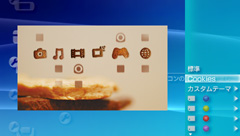
<strong>①カスタムテーマ設定<br />
</strong><br />
［テーマ設定］でカスタムテーマを設定できるようになった。<br />
XMB&trade;（クロスメディアバー）の背景やアイコンのデザインを変えられる。<br />
<br />
<strong>②シーンサーチ<br />
<br />
</strong>メモリースティック デュオ&trade;に保存された動画を再生するときにシーンサーチができるようになった。<br />
アルバムから写真を探すように、サムネイル画像から見たいシーンを選んで再生できる。必要な部分だけをすばやく再生したいときに便利。<br />
<br />
<strong>③音楽を聴きながらスライドショーを見る<br />
<br />
<img class="exp_txtIcon" height="18" src="http://www.jp.playstation.com/psp/update/img_ud/v370_icon_music.gif" width="16" alt="" /></strong> （ミュージック）と <img class="exp_txtIcon" height="18" src="http://www.jp.playstation.com/psp/update/img_ud/v370_icon_photo.gif" width="21" alt="" /> （フォト）の同時再生に対応した。<br />
音楽を聴きながら、お気に入りの写真をスライドショーで鑑賞できる。<br />
<br />
<br />
・・・とだんだんとCFWっぽい内容になってきましたね。<br />
<br />
詳細は<a href="http://www.jp.playstation.com/psp/update/ud_01.html">こちら</a>から。<br />
<br />]]> 
    </content>
    <author>
            <name>SAT</name>
        </author>
  </entry>
  <entry>
    <id>oyajinopsp.blog.shinobi.jp://entry/22</id>
    <link rel="alternate" type="text/html" href="http://oyajinopsp.blog.shinobi.jp/dg/%E6%9C%80%E5%BC%B7%E3%81%AE%E3%83%80%E3%82%A6%E3%83%B3%E3%82%B0%E3%83%AC%E3%83%BC%E3%83%89%EF%BC%81%EF%BC%81%EF%BC%81" />
    <published>2007-08-27T11:26:52+09:00</published> 
    <updated>2007-08-27T11:26:52+09:00</updated> 
    <category term="DG" label="DG" />
    <title>最強のダウングレード！！！</title>
    <content mode="escaped" type="text/html" xml:lang="utf-8"> 
      <![CDATA[<p>PSPを手にしたものの「ルミネス」が手に入らない人、結構いるのではないでしょうか？<br />
<br />
最近とあるサイトでこんなものが紹介されていたので、ちょっと紹介。<br />
<br />
その名も「Pandora's　Battery」！！<br />
<br />
なんでも、FW1.5やCFW導入済みのPSPがあれば、「純正FW3.10以上のPSP」が<br />
<br />
「ルミネス」無しでもダウングレードできちゃうし、ジャンク品のPSPの修復ができちゃうとか・・・<br />
<br />
非常に興味あるネタだったので、純正FWのPSP（FW3.11）を試してみたので以下報告。<br />
<br />
・・・　・・・　・・・　<br />
<br />
・・・　・・・　・・・<br />
<br />
・・・　・・・　・・・<br />
<br />
・・・できた♪<br />
<br />
というわけで実施した手順&darr;<br />
<br />
まず下記を準備する。<br />
<br />
①FW1.5　または　CFW導入済みのPSP本体。<br />
②ダウングレードやジャンク品のPSP本体。<br />
③1.50用アップデータ<br />
④Pandora's Battery<br />
⑤メモリースティックProDuo（普通のDuoはダメらしい）<br />
<br />
手順；FW1.5orCFW導入済みのPSP本体での作業<br />
<br />
1.　メモリースティックProDuoのフォーマット（PSP本体で実行）<br />
<br />
2.　Pandora's Batteryを解凍し、「msinst」、「mspformat」フォルダ内にある<br />
　　「msinst.exe」、「mspformat.exe」をPCのC:￥へコピーする。<br />
<br />
3.　PSPとPCをUSB接続する。<br />
<br />
4.　PCでコマンドプロンプトを実行し、「cd　c:￥」と入力する。（コマンドがc:￥に変わる）<br />
<br />
5.　引き続き、「mspformat.exe　＊」と入力し、Enterを押す。（＊はPSPのドライブ名）<br />
<br />
6.　メッセージ（内容は忘れた・・・）[Y]となるので「Y」を入力しEnterを押す。<br />
<br />
7.　メッセージ（内容はやっぱり忘れた・・・）表示後、PSPとPCの接続を切る。<br />
<br />
8.　メモステのルートへ「PSP」フォルダを作成し、そのフォルダ内に「GAME」フォルダを作成する。<br />
<br />
9.　「pbfirm_install」、「pbfirm_install%」、「pandora_battery」、「pandora_battery%」の４つを「GAME」フォルダ内へコピーする。<br />
<br />
10.　FW1.50用アップデータをメモステ直下（ルート）へコピーし、「update.pbp」とリネームする。<br />
<br />
11.　PSPとPCのUSB接続を切る。<br />
<br />
12.　PSPで「Pandora's Battery Firm. Installer」を実行する。<br />
<br />
13.　メッセージが表示されたら、「&times;」で実行する。<br />
<br />
14.　終了したら、PSPとPCをUSB接続する。<br />
<br />
15.　コマンドプロンプトより「msinst.exe　＊　＊:￥msipl.bin」と入力し、Enterを押す。（＊はPSPドライブ）<br />
<br />
16.　PSPとPCのUSB接続を切る。<br />
<br />
17.　PSPより「Pandra's Battery Creator」を実行する。<br />
<br />
18.　メッセージが表示されたら、「&times;」で実行する。<br />
<br />
19.　ダウングレードさせたいPSP（純正orジャンク品）にメモステ、バッテリをセットする。（何故か自動的に電源ONし、プログラムが起動した）<br />
<br />
20.　メッセージが表示されたら、「&times;」で実行する。<br />
<br />
21.　しばらく待つと電源が落ちるので、電源再投入する。（おそらく破損修復のメッセージが出るので「○」で実行する。<br />
<br />
22.　本体のバージョンを確認すると　1.50　になっていると思います。<br />
<br />
<br />
※　メモステをフォーマットする前に！！！<br />
　　 バッテリの内部が書き換わっているのでそのままでは使用できません。<br />
　　 再度XMBより「Pandra's Battery Creator」を実行し、「□」でNormal　Batteryへと戻すのを忘れずに！<br />
<br />
　　 メモステはそのままフォーマットで使用できます。<br />
<br />
では、検討を祈りましょう！<br />
<br />
<br />
<br />
<br />
<br />
<br />
</p>]]> 
    </content>
    <author>
            <name>SAT</name>
        </author>
  </entry>
  <entry>
    <id>oyajinopsp.blog.shinobi.jp://entry/21</id>
    <link rel="alternate" type="text/html" href="http://oyajinopsp.blog.shinobi.jp/%E6%94%B9%E9%80%A0/%E4%B8%96%E7%95%8C%E3%81%AE%E7%9B%AE%E8%A6%9A%E3%81%BE%E3%81%97%E6%99%82%E8%A8%88%EF%BC%81%EF%BC%9Ftime%20baby%20v5c%20-%20world%20time%20clock" />
    <published>2007-08-18T11:33:36+09:00</published> 
    <updated>2007-08-18T11:33:36+09:00</updated> 
    <category term="改造" label="改造" />
    <title>世界の目覚まし時計！？Time Baby v5c - World Time Clock</title>
    <content mode="escaped" type="text/html" xml:lang="utf-8"> 
      <![CDATA[<p><a target="_blank" href="//oyajinopsp.blog.shinobi.jp/File/TimeBaby01.jpg"><img alt="TimeBaby01.jpg" align="left" border="0" src="//oyajinopsp.blog.shinobi.jp/Img/1187404387/" /></a><br />
<br />
<br />
<br />
<br />
<br />
<br />
<br />
<br />
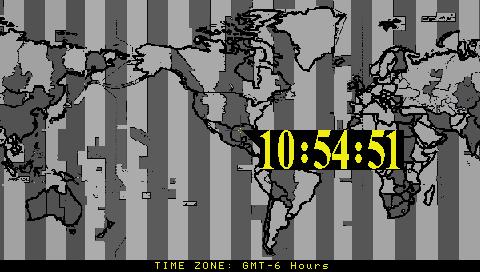
世界各地のタイムゾーンで目覚まし機能を付加した<br />
<br />
Time Baby がv5c　となってバージョンアップ。<br />
<br />
いつもと目覚め方が違うかも？？<br />
<br />
ダウンロードは<a href="http://dl.qj.net/General-Apps/pg/12/fid/14311/catid/151">こちら</a>から。<br />
<br />
<br />
</p>]]> 
    </content>
    <author>
            <name>SAT</name>
        </author>
  </entry>
  <entry>
    <id>oyajinopsp.blog.shinobi.jp://entry/20</id>
    <link rel="alternate" type="text/html" href="http://oyajinopsp.blog.shinobi.jp/%E6%94%B9%E9%80%A0/themeplus%20v1.2%20%E3%80%80%E3%83%AA%E3%83%AA%E3%83%BC%E3%82%B9" />
    <published>2007-08-18T11:25:10+09:00</published> 
    <updated>2007-08-18T11:25:10+09:00</updated> 
    <category term="改造" label="改造" />
    <title>ThemePlus v1.2 　リリース</title>
    <content mode="escaped" type="text/html" xml:lang="utf-8"> 
      <![CDATA[<a target="_blank" href="//oyajinopsp.blog.shinobi.jp/File/Wallpaper01.jpg"><img alt="Wallpaper01.jpg" align="left" border="0" src="//oyajinopsp.blog.shinobi.jp/Img/1187403855/" /></a><br />
<br />
<br />
<br />
<br />
<br />
<br />
<br />
<br />
壁紙を定期的に変更するソフトがバージョンアップされました。<br />
<br />
追加点は・・・<br />
<br />
①ランダムで壁紙を変更させる間隔（時間、月、年）を追加<br />
<br />
②イメージフォルダを任意に変更できる<br />
<br />
③処理コードの最適化<br />
<br />
・・・だそうです。<br />
<br />
ダウンロードは<a href="http://dl.qj.net/ThemePlus-v1.2-PSP-Homebrew-Applications/pg/12/fid/14315/catid/151">こちら</a>。<br />]]> 
    </content>
    <author>
            <name>SAT</name>
        </author>
  </entry>
  <entry>
    <id>oyajinopsp.blog.shinobi.jp://entry/19</id>
    <link rel="alternate" type="text/html" href="http://oyajinopsp.blog.shinobi.jp/%E9%9B%91%E8%AB%87/zard%E3%81%AF%E3%83%BB%E3%83%BB%E3%83%BB" />
    <published>2007-08-16T05:44:36+09:00</published> 
    <updated>2007-08-16T05:44:36+09:00</updated> 
    <category term="雑談" label="雑談" />
    <title>ZARDは・・・</title>
    <content mode="escaped" type="text/html" xml:lang="utf-8"> 
      <![CDATA[<p><a target="_blank" href="//oyajinopsp.blog.shinobi.jp/File/ZARD01.jpg"><img alt="ZARD01.jpg" align="left" border="0" src="//oyajinopsp.blog.shinobi.jp/Img/1187210610/" /></a><br />
<br />
<br />
<br />
<br />
<br />
<br />
<br />
<br />
<br />
坂井泉水さんが亡くなられてから大分経ちましたが<br />
未だ人気は衰えず、会社では<a href="http://www.amazon.co.jp/gp/product/B000IAZ97G?ie=UTF8&amp;tag=o0af-22&amp;linkCode=as2&amp;camp=247&amp;creative=1211&amp;creativeASIN=B000IAZ97G">ZARD</a><img style="BORDER-RIGHT: medium none; BORDER-TOP: medium none; MARGIN: 0px; BORDER-LEFT: medium none; BORDER-BOTTOM: medium none" height="1" alt="" width="1" border="0" src="http://www.assoc-amazon.jp/e/ir?t=o0af-22&amp;l=as2&amp;o=9&amp;a=B000IAZ97G" />の話が最近特に目立っています。<br />
<br />
私がZARDを知ったのは、兄がある日<a href="http://www.amazon.co.jp/gp/product/B00005F58A?ie=UTF8&amp;tag=o0af-22&amp;linkCode=as2&amp;camp=247&amp;creative=1211&amp;creativeASIN=B00005F58A">CD</a><img style="BORDER-RIGHT: medium none; BORDER-TOP: medium none; MARGIN: 0px; BORDER-LEFT: medium none; BORDER-BOTTOM: medium none" height="1" alt="" width="1" border="0" src="http://www.assoc-amazon.jp/e/ir?t=o0af-22&amp;l=as2&amp;o=9&amp;a=B00005F58A" />を買ってきたことに始まり<br />
その時はまだCDランキングにも無く、勿論テレビにも出ず<br />
最初はCDを聞いてもあまりピンと来ず、ただ歌詞カードを見ているだけでした。<br />
<br />
そこで思ったのは、この人良い詩を書いてるな・・・くらいしか思ってなく・・・・<br />
<br />
ところがテレビには出演しないZARDでしたが、ある日ランキングTOP10に！<br />
<br />
その時は、慌てて兄に<a href="http://www.amazon.co.jp/gp/product/B00005F58A?ie=UTF8&amp;tag=o0af-22&amp;linkCode=as2&amp;camp=247&amp;creative=1211&amp;creativeASIN=B00005F58A">そのCD</a><img style="BORDER-RIGHT: medium none; BORDER-TOP: medium none; MARGIN: 0px; BORDER-LEFT: medium none; BORDER-BOTTOM: medium none" height="1" alt="" width="1" border="0" src="http://www.assoc-amazon.jp/e/ir?t=o0af-22&amp;l=as2&amp;o=9&amp;a=B00005F58A" />を借り（その時の歌は確かCDには無かった）<br />
夢中で聞いていました。<br />
<br />
・・・とそれがZARDと私の出会いです。<br />
<br />
今頃なんで？？？と思う人もいるでしょう。<br />
<br />
久々にTVCMを見て、懐かしさから<a href="http://www.amazon.co.jp/gp/product/B000IAZ97G?ie=UTF8&amp;tag=o0af-22&amp;linkCode=as2&amp;camp=247&amp;creative=1211&amp;creativeASIN=B000IAZ97G">BEST版CD</a><img style="BORDER-RIGHT: medium none; BORDER-TOP: medium none; MARGIN: 0px; BORDER-LEFT: medium none; BORDER-BOTTOM: medium none" height="1" alt="" width="1" border="0" src="http://www.assoc-amazon.jp/e/ir?t=o0af-22&amp;l=as2&amp;o=9&amp;a=B000IAZ97G" />をPSPに入れ、<br />
最近になって、これを聞いているので、そんな事をしているうちに<br />
この記事を書いていました。<br />
<br />
ちょっと日記風。。。<br />
<br />
<br />
<br />
<br />
<br />
</p>]]> 
    </content>
    <author>
            <name>SAT</name>
        </author>
  </entry>
  <entry>
    <id>oyajinopsp.blog.shinobi.jp://entry/18</id>
    <link rel="alternate" type="text/html" href="http://oyajinopsp.blog.shinobi.jp/%E3%83%8B%E3%83%A5%E3%83%BC%E3%82%B9/psptube%E3%81%A7%E5%8B%95%E7%94%BB%E3%82%92%E8%A6%8B%E3%82%8B%EF%BC%81" />
    <published>2007-08-14T13:51:23+09:00</published> 
    <updated>2007-08-14T13:51:23+09:00</updated> 
    <category term="ニュース" label="ニュース" />
    <title>PSPTubeで動画を見る！</title>
    <content mode="escaped" type="text/html" xml:lang="utf-8"> 
      <![CDATA[Youtubeを使う人は既知だと思いますが、このPSPTubeは<br />
<br />
「.flv ファイル」を変換せずに、直接PSPで再生できるという優れモノ。<br />
<br />
<br />
作成者は「Sofiya猫」さん。<br />
<br />
なので、Readmeも日本語でわかりやすいです。それでも分からない人は<br />
<br />
<a href="http://nekomimi.cafe.coocan.jp/wiki/?PSPTube">こちら</a>の内容もチェック。<br />
<br />
ダウンロードは<a href="http://dl.qj.net/PSPTube-20070812-PSP-Homebrew-Applications/pg/12/fid/14273/catid/140">こちら</a>から。<br />
<br />
<br />
<br />
<br />]]> 
    </content>
    <author>
            <name>SAT</name>
        </author>
  </entry>
  <entry>
    <id>oyajinopsp.blog.shinobi.jp://entry/17</id>
    <link rel="alternate" type="text/html" href="http://oyajinopsp.blog.shinobi.jp/%E3%83%8B%E3%83%A5%E3%83%BC%E3%82%B9/%E6%97%A5%E6%9C%AC%E8%AA%9E%E7%89%88%E3%80%80xlink%20kai%E3%80%80%CE%B2%E7%89%88%E3%80%80%E5%85%AC%E9%96%8B" />
    <published>2007-08-11T22:54:21+09:00</published> 
    <updated>2007-08-11T22:54:21+09:00</updated> 
    <category term="ニュース" label="ニュース" />
    <title>日本語版　XLink Kai　β版　公開</title>
    <content mode="escaped" type="text/html" xml:lang="utf-8"> 
      <![CDATA[<a href="http://xlink.planex.co.jp/index.html">Planex</a>より日本語版XLink Kai　&beta;版 が公開されたようです。<br />
<br />
いままで英語版を使用していた人は&beta;版ではありますが、ダウンロードも<br />
<br />
<a href="http://xlink.planex.co.jp/index.html">こちら</a>でできるので導入してみては？<br />
<br />
ちなみに推奨している無線LANアダプタは・・・]]> 
    </content>
    <author>
            <name>SAT</name>
        </author>
  </entry>
  <entry>
    <id>oyajinopsp.blog.shinobi.jp://entry/16</id>
    <link rel="alternate" type="text/html" href="http://oyajinopsp.blog.shinobi.jp/%E6%94%B9%E9%80%A0/ir%20shell%203.61%20maintenance%20fix%E3%80%80%E3%83%AA%E3%83%AA%E3%83%BC%E3%82%B9%EF%BC%81" />
    <published>2007-08-07T01:02:49+09:00</published> 
    <updated>2007-08-07T01:02:49+09:00</updated> 
    <category term="改造" label="改造" />
    <title>iR Shell 3.61 Maintenance Fix　リリース！</title>
    <content mode="escaped" type="text/html" xml:lang="utf-8"> 
      <![CDATA[<p><a target="_blank" href="//oyajinopsp.blog.shinobi.jp/File/irshell361.jpg"><img alt="irshell361.jpg" align="left" border="0" src="//oyajinopsp.blog.shinobi.jp/Img/1186416024/" /></a><br />
<br />
<br />
<br />
<br />
<br />
早くも3.61登場！ですが、今回のUPにより下記が改善されているのがポイント！<br />
<br />
・「nethostfs（通信系）」の大幅な改善<br />
<br />
・PS1起動時の鈍い動作を改善<br />
<br />
・・・他。<br />
<br />
但し、導入については「iR Shell 3.6」を先に導入し、その後3.61にUpdateさせる必要があるので<br />
下記両方必要のようです。<br />
<br />
<a href="http://dl.qj.net/iR-Shell-v3.6-PSP-Homebrew-Applications/pg/12/fid/14188/catid/151">&nbsp;iR Shell 3.6</a><br />
<br />
<a href="http://dl.qj.net/iR-Shell-3.61-Maintenance-Fix-PSP-Homebrew-Applications/pg/12/fid/14232/catid/151">iR Shell 3.61　Maintenance Fix<br />
</a><br />
<br />
</p>]]> 
    </content>
    <author>
            <name>SAT</name>
        </author>
  </entry>
</feed>